Enterprise Edition
Sessage Enterprise uses the same task and collaboration foundation as Community and adds licensed modules for structured intake, automation, project portfolios and directory governance.
Additional modules
- Portfolios: group multiple lists, share them together and inherit roles.
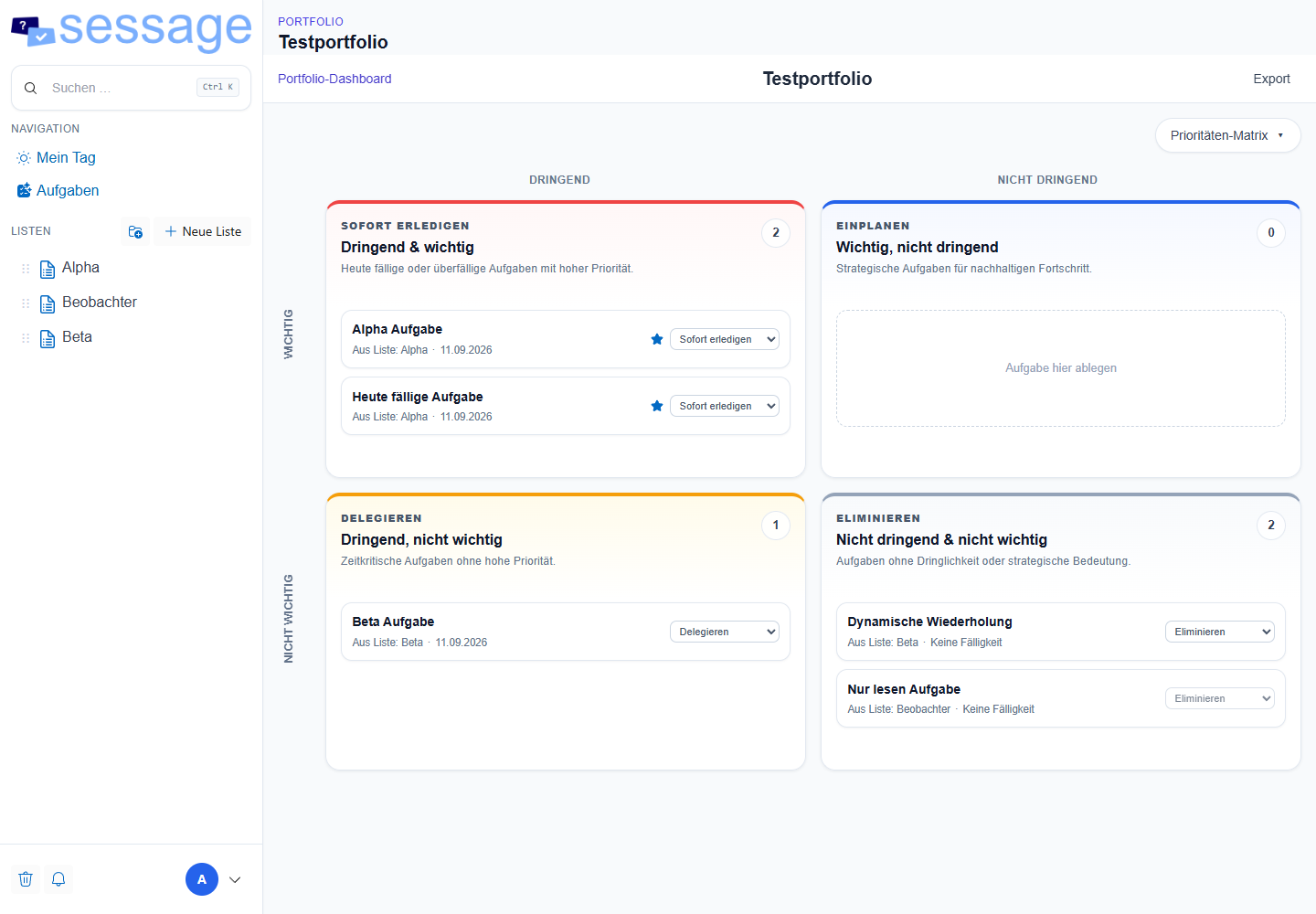
- Dashboards: key metrics, charts, calendar, cross-list timeline and an interactive Eisenhower priority matrix.
- Forms: define custom list fields and create internal or public intake forms with validation and attachments.
- Email intake: monitor an IMAP mailbox and create tasks from new messages.
- Automations: react to task events, evaluate conditions and execute actions.
- Webhooks: send signed events to external systems.
- Directory sharing: grant list or portfolio access to AD users and groups.
A typical workflow
- A customer or colleague submits a form or sends an email.
- Sessage creates a task in the correct intake list.
- Automation assigns the task, sets fields or moves it to a process stage.
- The team works with the task and keeps communication attached to it.
- A dashboard shows current workload and progress across the portfolio.
Licensing behavior
Enterprise capabilities are enabled by a valid license. Community data and core functions remain usable if the Enterprise license is absent or expires; only licensed modules are disabled. Custom-field definitions and values remain stored but are hidden until Enterprise Forms becomes available again.
Next steps
Compare the editions, then choose the Enterprise path in the installation guide.
For detailed configuration of portfolios, forms, automation, email intake and directory sharing, switch to Deutsch using the language menu.